In the post-pandemic era, where more businesses than ever are prioritizing digital transformation, you might expect that web design
agencies would have no trouble getting new clients.
However, the reality is that agencies continue to grapple with common challenges, including client acquisition.
AgencyAnalytics recent report reinforces that client acquisition remains the most prevalent challenge facing digital agencies (37%), followed by challenges of time constraints (20%), cash flow (13%), executing client deliverables (11%), and client retention (5%).
But the challenges don't stop there. From our work with digital agencies, we made it our business (because it is) to learn all about their challenges and figure out how Duda can solve each and every one of them.
This article highlights these unique challenges and provides a comprehensive look at how Duda, as an agency-first website builder, is empowering web design agencies with a complete toolkit for navigating the digital world's uncertain waters.
Acquiring clients
Are you surprised this is the top challenge on our list? Not really, right? It only comes naturally as this is the dominant challenge reported by agencies, as mentioned above. Web design agencies are constantly seeking
ways to get web design clients quickly, because solely depending on referrals doesn’t cut it anymore. The competition is fierce, so your agency must be fiercer!
Duda has a unique solution that helps agencies get more clients, easily. . What if you could automate your sales pipeline and fill it with intent-based leads who get a taste of what you can do for them without ever speaking to them?
With access to
Duda's API, agencies can create a
freemium website offer to attract new leads and open up their pipeline. Let's dive into how it works.
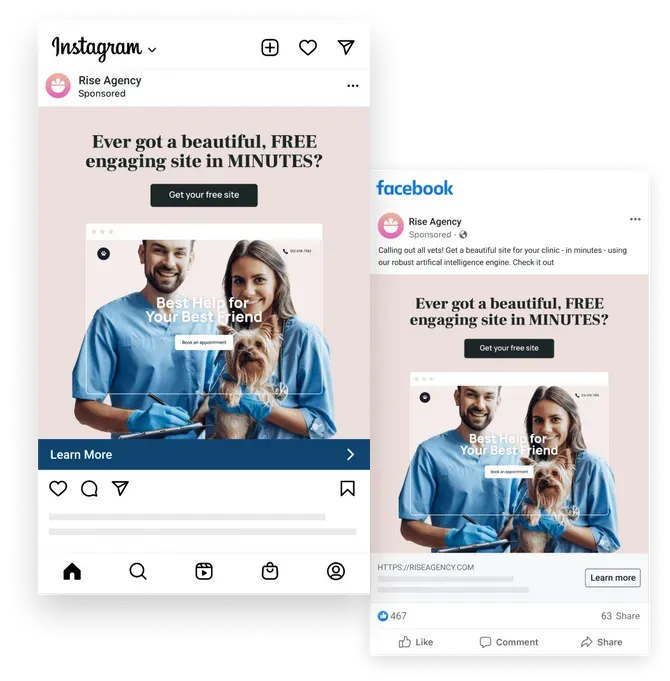
A potential client clicks on your ad, which offers them an instant free website according to their industry (vets, in our example). The client (notice we dropped the ‘potential’ :)) completes their business details in a form, and the information is automatically integrated into a specified site template. Subsequently, the preview link of the site, including all your agency's details, is automatically emailed to them and they can contact your agency to publish the site, make changes, add more pages, and even consider additional services.
Now imagine doing this at scale, 24/7.
Let’s just say: acquisition - check!
Client management and team collaboration
Effective client management and team collaboration are essential for building long-lasting
client relationships, ensuring project success and efficiency and delivering high-quality results on time and within budget. But, with so many clients (hopefully), juggling multiple projects simultaneously is hard for any agency.
For web design agencies, this may include maintaining hundreds (or thousands) of websites, controlling what clients do on the website (praying they won't ruin anything), managing revisions (with both your team and multiple stakeholders) and communicating website results (e.g.
client reporting and analytics). These routine actions can easily turn into a complete nightmare, especially if you’re working with a website builder that wasn’t designed with agency workflows in mind.
Here too, Duda understands your agency’s unique challenges and tackles the above use cases with dedicated
client management and
team collaboration tools, offering:
- A white-label experience, keeping your brand identity intact in front of clients
- A centralized dashboard to manage all your client sites
- Ability to set granular permissions for clients to access site data and editing
- Ability to monitor user site activity log
- Website analytics dashboard
- Integrated Site Comments for in-context revisions
- Ability to reuse templates, sections, and widgets across accounts and share with other team members
- Tagging capabilities to arrange client sites by project phase, client name, or any other way you want
- Client Billing tool to streamline your agency’s billing operation
Resource constraints
Resource constraints can hinder an agency's ability to take on new projects and meet client demands. Hiring additional developers and designers is expensive and time-consuming, requiring a significant upfront investment before seeing a return.
There are website builders out there (without naming names) that make you almost entirely reliant on developers, whether for building the site, or simply updating plugins, or for worst cases, dealing with downtime crises.
Duda, however, is quite the opposite.
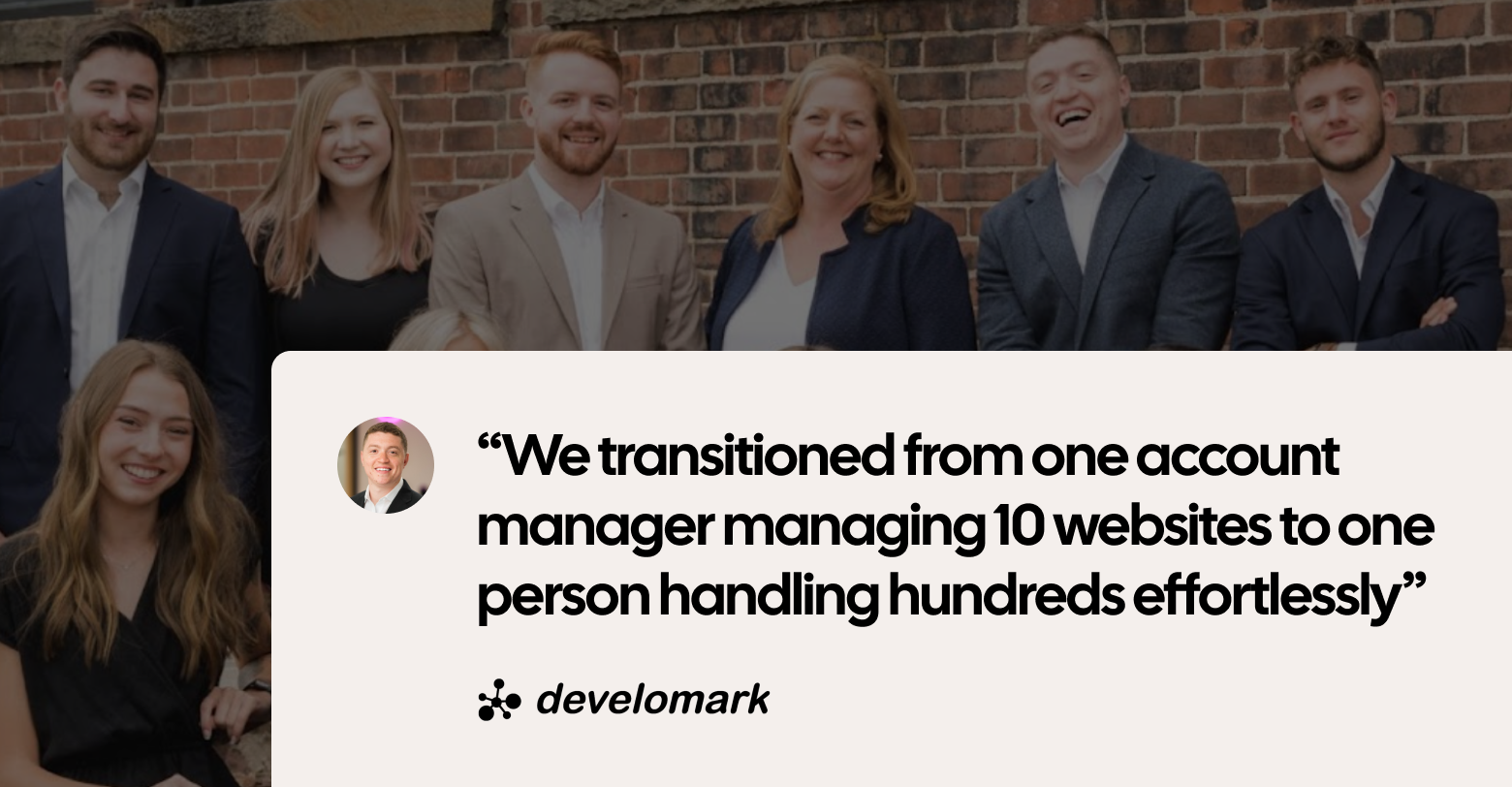
Our primary goal is to empower agencies to expand their businesses with the team they already have, or as Ruan Marinho, owner of
Develomark agency put it:
“We transitioned from one account manager managing 10 websites to one person handling hundreds effortlessly”
It begins with advanced automation and productivity tools (including extensive AI capabilities) and extends to ensuring you don’t require an entire team to maintain the websites you create, achieved through top-notch infrastructure and hosting, guaranteeing 99.9% uptime and the highest security standards.
Scaling your operations
Scaling operations to accommodate growth without sacrificing quality is a common challenge for web design agencies, and it’s a good one. You want to be in a place where scaling is your biggest challenge. Don’t get me wrong; it’s still a challenge. You want a website builder that accommodates agencies of all sizes and is equipped to handle the load once you scale, allowing you to do more with less.
Duda’s built-in productivity tools make production time lightning-fast, and our API and robust automation capabilities are the mere definition of scaling, allowing you to automate pretty much everything, from client acquisition to website creation and everything in between.
Hack,
our solution page reads:
“Whether Your Agency Has 10 Clients or 10,000 Duda Is the Platform for Growth” - if that’s not a statement about our commitment to agency scale, I don’t know what is.
Inefficiencies
Agencies usually lack the same resources as product companies, and they can’t afford inefficiencies. Thus, maximizing efficiencies is essential for improving profitability and competing in this market and this economy.
With limited resources compared to product companies, web design agencies must maximize efficiencies to stay competitive and thrive in today's economy. Think, creating product pages or service pages with the same structure, but with different copy, updating clients' business details across entire sites (what a nightmare when a client’s address changes), updating SEO metadata and alt text for all site pages, or even creating entire sites by the hundreds.
What if all of this could have been automated?
Harnessing Duda's API, AI and automation features, agencies can automate site creation, build multiple pages with a single design, update business details once, across the entire site and generate metadata and alt text in bulk. And that’s even without mentioning better known components like Duda’s templates.
By streamlining processes and eliminating manual tasks, Duda empowers agencies to operate more efficiently, allowing them to focus on high-value activities that drive growth and success.
Too many tools
Managing multiple tools and platforms can lead to additional inefficiencies, confusion, and increased overhead costs.
If your agency can find a website builder that consolidates as much functionality as possible, that’s much more optimal than having many tools.
Duda is all about offering more value to agencies.
With our client management tools, site comments (literally replacing
design collaboration solutions), client billing , native eCommerce, and our advanced AI Assistant that not only optimizes content and websites but also provides automated SEO best practices, Duda is what you call an all-in-one solution specially made for agencies and their needs.
And we keep on adding more and more tools as we speak!
SEO
SEO could be a real pain.
Clients expect that their shiny new websites will simply appear at the top of Google search results. After all, that’s one of the main reasons they decided to have a website in the first place.
The technology behind Duda’s websites is optimized for SEO, so all the heavy lifting is taken care of, including automatically optimizing for
Google PageSpeed upon publishing and republishing.
Duda’s provides you and your clients with a complete SEO toolkit to reach the top of Google’s SERP:
- Core Web Vitals - If you haven’t heard about Google’s Core Web Vitals, it’s time you did. These metrics determine the website experience and affect ranking. Website builders vary significantly in their Core Web Vitals scores, as
Google’s technology report demonstrates and guess who’s leading the way?
- Responsive - Duda is inherently optimized for mobile devices, providing complete customization options for design across desktops, tablets, and smartphones.
- JavaScript-free content - Duda is fully SSR (server-side rendered) content. Instead of going through javascript, all content is loaded from the server, to ensure Google understands the content immediately.
- Global CDN - Load times are significantly reduced thanks to Duda’s global CDN (Content Delivery Network), which hosts all static files (such as images, pdfs, and docs).
- Automatic sitemaps - robots.txt and sitemap are automatically generated for each site and inform search engines which pages they should crawl.
- Local Business Schema - Have the ability to increase site discoverability with Local Business Schema, which provides search engines with reliable, structured information about a site’s business.
- SSL certification (free) - Duda automatically generates SSL certificates, ensuring data protection and providing a slight SEO boost.
- Reliable hosting: With a 99.9% uptime guarantee, Duda ensures websites remain accessible, get indexed, and eliminates late-night outage notifications.
- Multi-language support: Automatically implemented hreflang tags ensure search engines recognize all language versions of a page.
- Canonical tags: Duda automatically generates canonical tags, adhering to best practices and managing them on your behalf.
- Custom code integration: Full flexibility to embed custom code, including schema markup, anywhere on the site.
- Standardized markup: Utilize Duda's default markup practices for image tags, headings, or customize in developer mode.
- OpenGraph control: Set and manage open graph tags for each page to optimize how they appear on social media.
- HTML tag control: Complete control over page content structuring, including setting headings (<h1>, <h2>, etc.).
- URL customization: Define exact URLs for each page without preset requirements, allowing for flexible structuring.
- 301 redirects and bulk uploads: Redirect pages as needed and perform bulk uploads via CSV files for seamless management.
In addition, Duda’s AI SEO tool, a significant part of our
AI Assistant, and the only tool of its kind, enables you to generate SEO metadata for all site pages at once, and alt text for all site images in bulk.
Website maintenance
We’ve discussed the issue of website maintenance in our recent blog post:
Warning signs to look out for when selecting a website builder for agencies. This issue is a significant one that is both a warning sign and a challenge. In fact, in our “State of Website Building I 2023 Agency Report” website maintenance is the top pain point in website building for agencies and a top barrier for agencies in building more websites.
We’re not surprised.
There’s a big difference between maintaining a single website to maintaining multiple websites. The former is a pain as well, no doubt, but the latter… That’s a whole different ball game.
For web design agencies, maintaining websites can be a huge hassle and quite a risk - if it’s too time consuming and requires a lot of work - they lose money (even if they priced website maintenance, more often than not,
they have priced it too low), not to mention it damages their client relationships. That’s why web design agencies can’t afford to deal with plugins that require updates or break websites, or with security vulnerabilities and downtimes.
Even less dramatic issues, such as maintaining consistent information across all pages, become challenging, especially when your client's business hours change and there's no streamlined method for updating all pages at once.
Duda made it its mission to make agencies’ lives easier, and the website maintenance aspect of it all is no exception.
A few points that shape Duda as a low-maintenance platform that allows agencies to focus on other, more important (and less annoying) issues are:
- AWS hosting for 99.9% uptime - so you can sleep soundly at night knowing that you won’t wake up to a “site down” alert
- No plugin dependency - so you don’t have to constantly update plugins or monitor them to ensure sites won't break due to lack of updates, or risk being exposed to vulnerabilities because of poor security.
- Top security - so you know your clients' sites are in good hands.
- Connected Data—so you don’t need to update consistent information (such as business hours, social links, multi-location info, and more) on every single page manually.
Being restricted to a single pricing strategy
Being restricted to a single pricing strategy can limit an agency’s ability to accommodate diverse client needs and budgets, which can affect its bottom line. However, many agencies don’t have more than one package for a website offering.
Having a website builder that supports upgrade flows, offering agencies the power to provide a free offering and upgrade clients to a custom site plan could be priceless (pun intended), allowing agencies to tailor their services to each client's requirements and maximize revenue opportunities.
With Duda's API and Duda’s Simple Editor, you can provide SMB prospects with a swift and hassle-free online presence through your agency's branded DIY builder (unique to your agency), serving as a low-entry sales pipeline. This approach allows you to upsell clients to higher-ticket products and services. In addition, you can leverage it as a sales tool with a low entry bar to capture customers early and drive conversions to higher-priced plans through custom upgrade flows. This means you can expand your customer base, while also feeding your pipeline with higher-value opportunities.
Final note
At the end of the day, we’re not about the challenges we face, we’re about how we overcome them, and while agencies have their share of challenges, they also have solid solutions.
Duda offers a comprehensive suite of solutions to help agencies overcome common obstacles and thrive. From client acquisition and management to scalability and efficiency, Duda empowers agencies with the tools, technology, and support they need to achieve their goals and deliver exceptional results for their clients.
Want to overcome your agency’s biggest challenges?
Start a free trial.