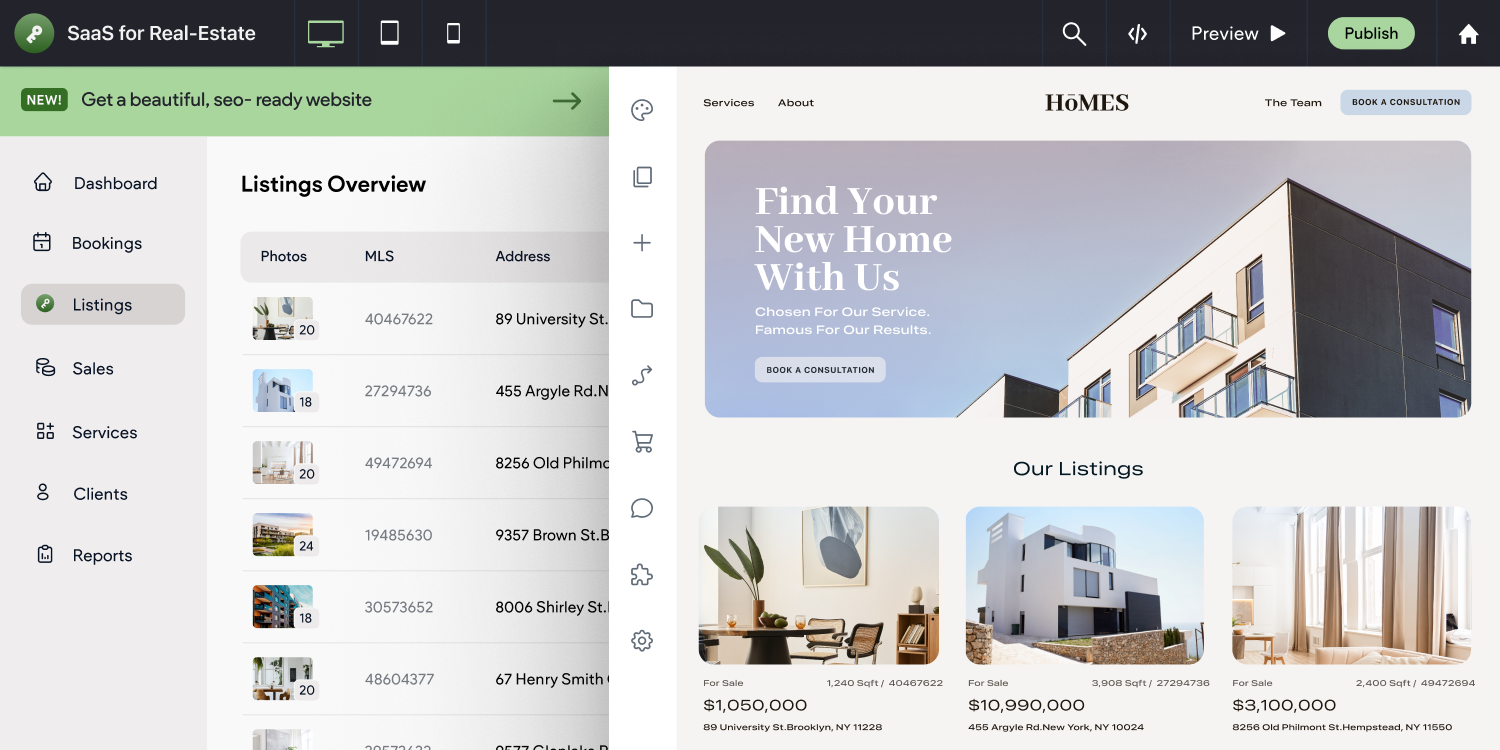
Vertical SaaS is a booming business
The explosion of vertical
SaaS platforms over the past decade is one of the most interesting and important innovations in the tech industry to date. There are software platforms for travel and tour experience providers. Software platforms for yoga studios. Software platforms for dental practices. Heck, there are even software platforms for professional dog walkers! As more and more of these companies make their way into the market with specialized technology solutions for all kinds of verticals, one thing remains consistent across the board — none of them exist in a vacuum.
For example, if you have a booking technology specifically designed for hairdressers, there are still many other services those customers will need that fall outside your core competency, such as digital advertising, SEO services, and (as we will discuss at length in this article) web design. Offering these additional products and services as one holistic solution provides outstanding new revenue opportunities for your company, can complement and increase the effectiveness of your main solution, and reduces churn.
So why websites?
One of the most important components to a business’ success today is a cohesive online presence centered around a website that is specifically tailored to meet certain business objectives.
Professional photographers not only have to be discoverable in Google search results — they also need a place to display their portfolio of work and sell their images online. Real estate agents require a way to show off property listings in an enticing way and easily capture leads in their CRM. Music venues have to sell tickets and also display upcoming performances. The single best tool for accomplishing all of these goals is undeniably a conversion-driving, information-rich website.
And when you are a SaaS company that builds products for a specific industry vertical like the ones listed above, packaging your solution in a dynamic, modern website can increase engagement with your tool and have an incredibly positive impact on your bottom line. Now, of course, how you offer websites is entirely up to you and will heavily depend on the needs of your customers — some SaaS platforms prefer to create a do-it-yourself website-building flow, while others opt to build sites for clients themselves or outsource this work to an agency. However, in all cases, the result remains the same; offering websites to your customers is a net gain for both you and your customers.
Your options for offering websites
For SaaS companies to serve their customer segments effectively and grow their share of wallet, they need to find ways to incorporate services like web design into their offerings without putting undue strain on their existing team or detracting from their main company mission.
So what options are open to the SaaS company looking to increase revenue, ARPU and customer stickiness? Let’s take a look…
Option #1 — Build your own solution
On its face, this idea should make a lot of sense. After all, you’re a technology company and building software is your reason for being. However, just because you have a team filled with talented engineers and product visionaries doesn’t mean you should use the engineers and visionaries to create a website builder that serves your customers’ needs both today and in the future.
Web design is a fast-paced industry with constant updates in design trends, shifting SEO best practices and ever-changing laws regarding cookies, privacy and user data. An expert hand is required to build and maintain a successful site builder that won’t fall far behind industry standards in just a matter of months. Your team may be able to bear this extra burden in the short term, and may even find some success if you hire enough additional hands to maintain it (which is expensive); but eventually, it’s more than likely your website builder will take up more and more of your team’s time and resources to the detriment of your core business and, ultimately, just become a distraction. Once that happens, you will be in a constant battle of resource allocation between your unique differentiators and a “me too” website platform.
Additionally, it’s important to remember that your website builder won’t be your customers only option for creating an online presence. Dedicated website builders that serve small businesses directly like Wix and Squarespace have huge engineering and marketing teams, and your in-house solution will be placed in direct competition with these platforms. In reality, maintaining your own site builder means having these huge players constantly nipping at your technology’s heels and competing for your customers.
In our experience, many SaaS companies that decide to build their own solution sooner or later find it to be unsustainable and decide to invest in one of the following two options.
Option #2 — Purchase a product
An expensive option, but not a bad one, is to acquire a website builder and roll it and any new employees that are part of the package into your company. This has the obvious advantage of relieving your team of having to create an entirely new product from scratch, but eventually could lead to many of the same ongoing maintenance issues that come with building your own solution.
Whether you build it or buy it, if you own the product, its problems are your problems, and something as complicated as a website builder can easily eat up endless resources or be left to languish as a second tier service. Obviously, neither are particularly good outcomes.
Option #3 — Partner with a web design platform
Unless you have endless resources to throw at creating and maintaining a cutting-edge site builder, finding a technology partner you trust to integrate with is the most cost-effective and scalable option for adding website building under your brand. The product is already built and run by a dedicated team of professionals that know the industry and can innovate on your behalf, partnerships generally don’t come with the same enormous price tag as options #1 and #2, and you’re left free to focus on your core business.
However, since partnering and integrating with a website builder means putting a fair amount of trust into the hands of a team that you don’t directly manage, it’s probably worth exploring the question, “what exactly does a good website builder partner actually look like?”
What to look for in a site builder
Every website builder has its own strengths, but not all of them will be geared towards the unique needs of SaaS companies. For example, providing users with access to advanced development features inside the site builder may be important if you’re looking to build sites in-house, but to empower your customers to build sites themselves ease-of-use for the less tech-savvy would prove more critical.
White label
There’s an interesting debate going on in the tech industry right now about the degree to which white labeling products (like website builders) is an advantage for SaaS companies.
One line of thinking goes something like, “If I integrate with a product that has a good brand reputation, I can leverage that in my own marketing efforts to boost customer confidence and improve acquisition.”
This approach is not entirely without its merits. Associating your brand with a known and trusted product may appeal to a large portion of your potential audience, but it’s a double-edged sword. If customers are aware that one of your featured products is available elsewhere, it decreases the “stickiness” of your overall service, which is one of the main reasons most SaaS companies look to add an additional product in the first place.
Advocates of white labeling products and services take a much different tack. This argument is normally along the lines of, “My customers are my customers, and if I integrate with a technology partner, I still want the focus to be entirely on my brand.”
The benefits in this case are pretty straightforward. The SaaS company reaps all of the aforementioned benefits of integrating with a website partner, and maintains total control over how their service is perceived by customers. This both increases your share of wallet without the reliance on another brand, and ensures that your main technology offering isn’t overshadowed by another product.
When researching a website builder to integrate with, you can generally determine which approach a potential partner subscribes to by looking at their various tools and features.
For example, Duda adheres to the idea that your customers are yours; therefore, we offer a wide range of white label features and tools on our web design platform, including:
- Your clients’ login page
- The website editor
- Website preview tools
- Automated email communications
- Your client’s dashboard
- Customization of the features inside the editor itself
But no matter where you come down on the white label debate, a good website partner will give you the ability to control when and where their brand appears to your customers.
Integration-readiness
No two SaaS companies work exactly the same way, but when integrating and deploying a new product, every single one wants to go to market as quickly, and with as rich of an integration, as possible. This fact offers a bit of a challenge to website builders. We have to balance creating a scalable integration approach so we can service all of our partners effectively, and tailor our platform to meet the unique needs of our partners.
This is why we have heavily invested in creating a well-documented, robust and
highly flexible API and advanced tools that can address a broad swath of use cases.
For instance, let’s look at Duda’s integration with AppFolio, a CRM for property managers with the mission to enable customers to engage with their tenants, receive invoices, collect new tenant applications and manage their open properties.
Before Duda, AppFolio used WordPress Multisite to create property listings pages with structured data maintained in customer accounts on their platform, but wanted to integrate with a site builder to avoid security and scalability issues they had run into with WordPress.
AppFolio leveraged Duda’s Dynamic Pages feature and flexible API during its integration so their team could continue to generate the same type of pages on Duda. This enabled AppFolio to ensure customer websites maintain up-to-date listings data synced with their accounts and benefit from the other advantages of Duda, like a decrease in the amount of time it takes to build custom websites.
Custom widget creation
Very few SaaS companies will find that a website builder fulfills their needs 100% straight out of the box. More than likely, some amount of customization will be required to integrate your technology or incorporate features that are specific to your customers needs.
For example, if you have a proprietary booking widget as your core offering, you’ll need to give users a simple way to add it seamlessly to their websites. Likewise, there may be a service that is specific to your region or industry that absolutely must be made available to your customers for their sites to drive business value. It’s important that your chosen website builder provides an easy way to accomplish these tasks without burying your team in hardcore development work.
Duda offers a
custom widget builder for just such an occasion. This feature provides a user-friendly interface for widget management, has a dashboard where your team can view and edit their widgets, and offers simple management tools for saving, publishing and restoring older versions. And since one of Duda’s top goals is to maximize site performance, we’ve ensured that custom widgets created in Duda are optimized for performance no matter how many widgets appear on a site or their complexity.
If you’re evaluating a website builder to integrate with and it doesn’t provide you with some mechanism for easily modifying it for your user base, it’s probably not a partnership that’s worth pursuing.
Usability for your team & customers
Obviously, usability of a tool is always important to evaluate when deciding whether or not to integrate it into your service — but exactly what makes for “good usability” largely depends on who is using it.
If your plan is to build sites for clients in-house, a simple drag-and-drop website builder interface that cuts down on development work isn’t enough. You’ll need key features that help foster effective team collaboration and prompt customers to engage in the site building process.
Shareable design assets and site elements, a content collection form that can be sent to customers and site commenting tools that facilitate streamlined communication about designs all help to increase the efficiency of your team and the scalability of your site building service.
However if you offer a do-it-yourself site building flow, features like those listed above may take a backseat to overall ease-of-use for the average small business customer and specialized roles and permissions that allow them to only access the parts of the builder necessary to make basic updates to their websites. You may even want to implement a fully guided design process, like what is available using Duda’s
Simple Editor.
Duda provides a wide variety of features that support both use cases, but to find the perfect partner, you’ll want to spend a fair amount of time thinking through just exactly what your optimal site building process will look like and the features you’ll need to make it a reality.
Website security
Fun fact: WordPress websites are the most hacked on the internet. In 2022, a whopping
96% of all infected websites monitored by the website security service Sucuri were created using the open source site building behemoth. This is, of course, to be somewhat expected. After all,
WordPress powers more than 40% of sites on the web today. However, this fact still raises an important point for SaaS companies looking to offer websites.
The nature of open source software makes it vulnerable to attack since WordPress core, plugins, and themes don’t uniformly update at the same time. And when software goes out of date, it exposes security holes for hackers to exploit. Simply ensuring all of your customers’ plugins are up to date can become a time-suck, and that’s before you start counting up the hours you’ll spend dealing with hacks when they occur.
It’s simply much easier for a bad actor to attack an open system like WordPress than a proprietary, cloud-based web design platform like Duda, and for SaaS companies that deal with hundreds or thousands of customers, this is a problem you can little afford to deal with.
Any site builder you choose to partner with should have a solid track record of offering secure websites with above a 99.9% uptime, DDoS protection, and free, automated HTTPS encryption. Your future self will thank you for the foresight.