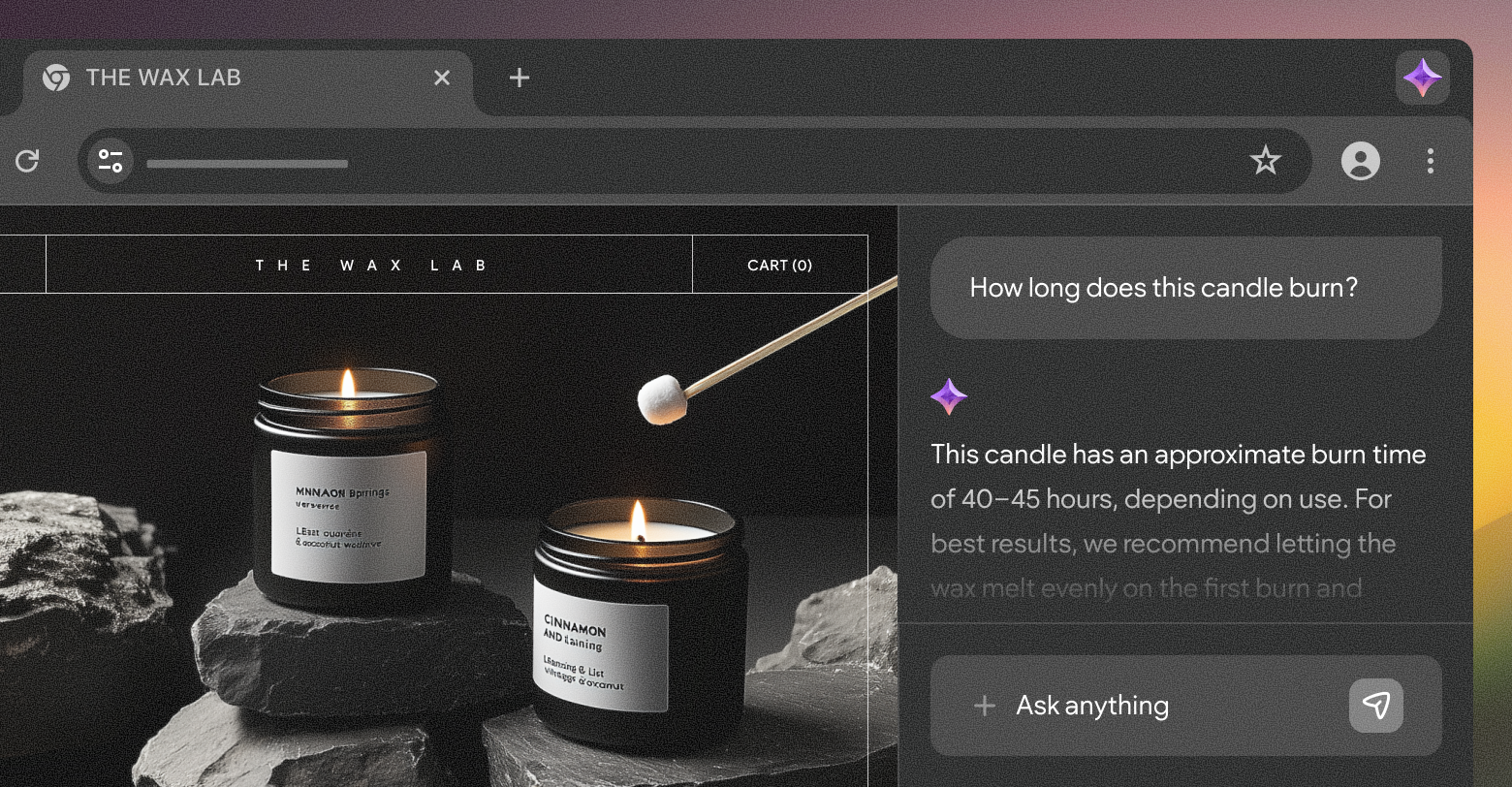
AI is everywhere, and it’s changing the way people interact with websites. By late 2025,
46% of adults on the Internet in the US were already using generative AI tools for online searches and everyday tasks. The web browser, our main interface with the web for two decades, is in the crosshairs of the tech giants looking to bring their AI services toward mass adoption. This means that the way websites are built will have to change as well and adapt to serving two audiences: AI engines and human users.
For marketers, this is a tectonic shift that can only be compared to the introduction of connected mobile devices. Now, AI browsers are promising a change bigger than smaller screens - making websites into little more than an interface for robots to crawl and perform actions.
Before we discuss the role of digital marketing agencies in this transition, it’s worth defining what is what in the evolving landscape of user-AI-web interfaces.
AI browsers vs AI search vs AI agencts
For years, a user agent like “Chrome on Android” in your analytics report was indicative of a real person looking at a page for a certain length of time. With AI services involved, that’s no longer the case. Your website now interacts with the end user through multiple AI touchpoints, and in some instances, it is never seen by a human at all. Let’s start by understanding what each does, and how we, marketers, see it (or don’t) in our website analytics dashboards.
AI search
The topic that’s been discussed most in the digital marketing circles is the impact of AI search on traditional organic search traffic. Some of us are already
feeling the drop due to Google AI Overviews
drastically
reducing CTRs. But how does it actually work?
AI search results are generated by the various engines based on information collected by their own crawlers (think Google Bot on steroids) to ingest and refresh your content. Your websites become training data and live reference material, shaping the answers people see (even if they never click through).
AI browsers
ChatGPT Atlas,
Perplexity’s Comet,
Dia, and even
Firefox’s upcoming AI Window are trying, each in their way, to bake the answer layer into the browser itself. Users still see sites in a traditional browser, but an AI reads the DOM, summarizes content, compares tabs, and often becomes the primary “interface” to website content. Early adopters are already
boasting about replacing human assistants with an AI web browser.
In your logs, these sessions will appear as regular desktop or mobile browser traffic, but the user experience of the website will be drastically different from that of a non-AI browser.
AI agents
Atlas’s Agent Mode, Comet’s agentic workflows, and ChatGPT tasks are a different beast altogether. These are the “doers” who perform actions on behalf of users. AI agents can spawn virtual or headless browser instances that click, scroll, fill out forms, and submit them the way a user would, as well as interact with service APIs. AI agents can be baked in with an AI browser (like Comet and Atlas) or launched from AI assistant applications or web interfaces.
From an analytics and measurement perspective, these can be the most confusing participants in customer journeys. Some run locally in a user’s browser, others run in the cloud under generic “ChatGPT-User” or headless Chrome user agents.
The role of marketing agencies in an AI-mediated web
The client journey is mutating. In some AI-led journeys, the human barely sees your client sites at all. That means that whoever owns and maintains a site’s structure and content now has a more central role than before. In day-to-day agency work, AI-led browsing trends will shape how you build, how you measure, and how you keep the “digital source of truth” alive.
Building websites (also) for agents
AI engines of all kinds treat your clients’ sites as a kind of API interface for information they can ingest. They crawl the site to pull structured data and execute flows that were normally performed by users, but all without your beautiful designs and thought-out layouts ever admired by human eyes. That doesn’t mean that the brand and products turn invisible, or that you need to build a second, secret site for machines.
The good news is that you’re already doing 90% of the work of making sites agent-friendly by ensuring your clients’ sites are well-structured, fast, accessible, filled with original content, and SEO-sane. In reality, it’s what both humans and AI agents want: a clear, low-friction description of what’s true, what’s available, and how to get it.
It’s worth noting that researchers and businesses alike are
pushing toward standardization of explicit, high-level actions for AI agents like “add to cart” or “book appointment” that agents can confidently interact with (instead of brittle pixel-level clicking). OpenAI and Stripe’s
Agentic Commerce Protocol (ACP) standard already lets users fully complete a purchase through the ChatGPT interface.
Rethinking analytics and attribution
Getting a complete picture of the buyer journey across digital touchpoints was always a challenge, but with AI in the picture and zero-click behaviors on the rise, things are
more complex than ever. AI surfaces increasingly satisfy intent on the results page or inside an assistant, while sending only
incremental traffic to websites.
That creates an AI-driven “dark funnel.” Decisions are shaped by your content, but the exploration happens inside AI Overviews, AI chat apps - not on pages with your analytics pixels. This makes classic last-click attribution not only noisy but also dangerously misleading.
In response, a mini-industry of
“AI visibility” tools is emerging to track how often brands get cited or recommended in AI answers, and how changes to content or schema affect that visibility. At the same time, C-suite guidance is nudging marketers to compensate for missing click-level data with more resilient strategies. This makes it the agency’s job to explain the shift and communicate the response plan that pairs traditional metrics (revenue, conversion, branded demand) with a small set of AI-aware indicators and experiments.
Maintaining your clients’ digital source of truth
Much like search engine indexing bots, generative AI systems don’t crawl once and forget the site existed. They keep coming back, but instead of indexing, they use your clients’ websites as a rolling reference file. Also similar in nature are the signals these bots use to evaluate content, with freshness, originality, consistency, and credibility before surfacing it to users. If key pages are thin or outdated, models will either downrank the sites or worse - start making guesses and generating hallucinations with your clients’ logos on them.
To serve AI bots with accurate and fresh data, you must look at websites the way they do - as a living knowledge system. This is where AEO/GEO guidance and AI SEO playbooks all converge on the
same basics: consolidate answers to common questions, keep core facts current (pricing, availability, terms, locations, etc.), and structure them in formats answer engines and AI browsers reliably ingest.
From an agency perspective, this only strengthens the importance of a robust content ops strategy that can deliver at scale. For clients, it means enhancing collaboration between content owners internally. Knowledge-base teams already treat freshness as critical to preventing bad AI answers. Business websites now need the same discipline.
How Duda helps you stay ahead
AI is all the rage, and it may reach mass adoption faster than any digital tool before it. But new interfaces will come and go. Underneath all that, the pattern is clear: your clients still need a fast, reliable, discoverable, well-structured website that tells the truth about their business and makes client-agency collaboration smooth.
If you’re building on Duda, a lot of that groundwork is already handled for you. The platform keeps pushing Core Web Vitals performance to the top of the CMS pack, so sites load quickly and stay stable as standards tighten. It bakes in structured data support, SEO tooling, and accessibility features. On top of that, Duda’s AI Stack and SEO overview help you generate and maintain titles, meta descriptions, alt text, and on-page copy inside a governed editor, not a black box.
In an AI-mediated web, the combination of solid infrastructure, human judgment, and governed ease of use is exactly why your clients choose you to build and maintain their websites.