As AI-driven search reshapes how people find information online, digital marketing agencies need to adapt faster than ever. The shift from traditional keyword-based SEO to generative search experiences means websites must be not only visible to search engines, but also citable by large language models and answer engines such as ChatGPT, Perplexity, Bing Copilot, and Google’s AI Overviews. In this emerging landscape, your goal is no longer just to earn a spot on page one, rather, it’s to have your clients’ content become the trusted material AI systems quote, summarize, build upon, and, hopefully, recommend.
Optimizing for AI search requires a strategic mix of technical accessibility, structured content, credibility, conversational alignment, and continuous iteration. The following five approaches outline how agencies can help clients adapt right now, using tactics that are already proving effective.
1. Make sure AI systems can access, and understand, your content
The foundation of AI visibility begins with technical accessibility. If an AI crawler can’t reach, render, or interpret your client’s pages, no amount of content polish will matter. Start by confirming that essential files such as robots.txt and meta-robots tags allow known AI crawlers, like GPTBot, Claude-Web, and CCBot, to index relevant sections of the site. Some organizations are beginning to experiment
with an emerging file called llms.txt, which works similarly to robots.txt but provides explicit instructions for large language models. Including such a file helps communicate which pages are suitable for training or citation.
Next, review canonicalization and redirect structures to ensure that AI systems can identify the preferred version of each URL. Misconfigured canonical tags or long redirect chains can obscure content from crawlers, particularly those used by AI systems. It’s also worth checking whether valuable resources sit behind login screens, JavaScript-only rendering, or paywalls. Many AI crawlers cannot execute JavaScript or navigate authenticated environments. Providing prerendered snapshots or server-rendered alternatives can solve this issue.
Finally, test visibility directly by entering target queries or page titles into AI search platforms. If the client’s content never appears as a cited or referenced source, start by diagnosing accessibility. This technical groundwork ensures that AI systems can actually evaluate and learn from the site’s information.
2. Structure your content to be AI-readable and human friendly
Once accessibility is handled, the next step is to make the content intelligible to AI. Large language models parse structure, hierarchy, and semantics to determine what information is reliable and relevant. Agencies should guide clients toward producing well-organized content that’s easy to parse at scale.
Strong heading hierarchies, clear introductions, and concise summaries all contribute to better comprehension. Placing a brief, direct answer near the top of each page or section helps AI identify definitive statements.
According to Conductor, content following this “answer-first” model is more likely to be featured in generative summaries. Similarly, content broken into clear subheadings, short paragraphs, and semantic groupings gives AI the signals it needs to extract and reformat information confidently.
Structured data is another underused tool for AI optimization.
Schema markup in JSON-LD, such as Article, FAQPage, or HowTo, tells both search engines and generative systems exactly what a page represents. Combined with semantic internal linking between related subtopics, schema reinforces topical authority. Agencies should also encourage clients to regularly refresh content with update dates or version labels; AI systems often prioritize newer or recently maintained information.
These changes don’t require rewriting entire websites. They involve tightening structure, clarifying hierarchy, and adding contextual signals that make it easier for AI models to cite a source confidently.
3. Strengthen credibility with transparent data and attribution
Generative engines prefer content that’s trustworthy and verifiable. As misinformation concerns rise, models increasingly favor material that cites reputable sources and demonstrates author expertise. For agencies, this means coaching clients to embed clear evidence of authority and transparency throughout their sites.
Whenever possible, content should include specific data points with visible attribution. Replace generic statements like “most marketers agree” with sourced facts such as,
according to Semrush, “According to Litmus’s 2024 Email Benchmark Report, email marketing generates $42 in return for every $1 spent.” Data-backed claims are more likely to be cited by AI systems. Additionally, including author bios with professional credentials, especially in specialized industries such as finance, health, or law, adds signals of expertise and accountability.
Quoting or referencing established organizations, even when paraphrased, can also help contextualize authority. AI models tend to link such names and citations to existing knowledge graphs, improving discoverability. Beyond on-page optimization, offsite credibility remains crucial: guest posts, media mentions, and digital PR placements create external references that models recognize, even if they are not traditional backlinks.
Transparency about methodology and freshness also matters. Marking when data was last updated, outlining editorial review processes, or noting the sample size behind a study all contribute to the perception of reliability. In the AI-driven ecosystem, credibility and verifiability are the new currency of ranking power.
If this sounds familiar, that’s because it’s exceptionally similar to
Google’s E-E-A-T guidelines (Experience, Expertise, Authoritativeness, and Trustworthiness) SEOs are long familiar with.
4. Align content with AI query patterns instead of traditional keywords
Generative search systems analyze language differently than conventional engines. They don’t just look for matching keywords, they interpret intent, context, and phrasing in natural language. Optimizing for AI search therefore requires aligning with how users ask questions conversationally, not just how they type them.
Agencies can begin by studying how people phrase questions within AI chat interfaces. Running prompt variations in tools like ChatGPT, Perplexity, or Claude reveals which wording produces the most relevant citations or responses. These insights inform how to phrase headings, titles, and introductory sentences on clients’ sites. Instead of relying on rigid keyword lists, focus on the semantic field around key concepts.
Framing headings as direct questions, such as “How does AI search affect SEO strategy?,” helps AI systems recognize answer relationships. Including concise, well-formulated answers beneath each heading reinforces that link.
Tests by 97th floor found that content built around natural-language questions tends to appear more often in AI answer sets.
Covering adjacent subtopics also pays dividends. Because AI models aim to synthesize complete responses, they favor pages that address a cluster of related queries. Expanding coverage to include common follow-ups (“What are the pros and cons?” or “How does it compare to traditional search?”)
can help a single article serve multiple prompt variations.
Finally, use semantic keyword variations and related terms rather than repetitive phrasing. AI systems understand synonyms and context, so diversity of expression strengthens topical depth. Agencies that train writers to think conversationally, not mechanically, will see better results in generative visibility.
5. Measure AI visibility and iterate based on real feedback
Because AI search is evolving rapidly, optimization cannot be a one-off project. Agencies need a feedback loop to measure performance and adjust strategies quickly. Traditional SEO metrics such as rank position or click-through rate still matter, but they only tell part of the story.
Start by tracking when and where your clients’ content appears as a cited source in generative systems. New AI search tools, like
Semrush’s suite of AI tools, can detect citations across platforms like Google’s AI Overviews, Bing Copilot, and Perplexity. Even without such tools, you can manually test queries and record which prompts lead to visible citations or source mentions—although, try to do so with memory features disabled. Over time, this builds a reference library of prompt phrasing that performs well.
It’s also useful to monitor shifts in branded search demand. When AI systems repeatedly reference a client’s brand, users often start including it in their own search queries. Increases in branded search traffic can be an indirect sign of improved AI visibility.
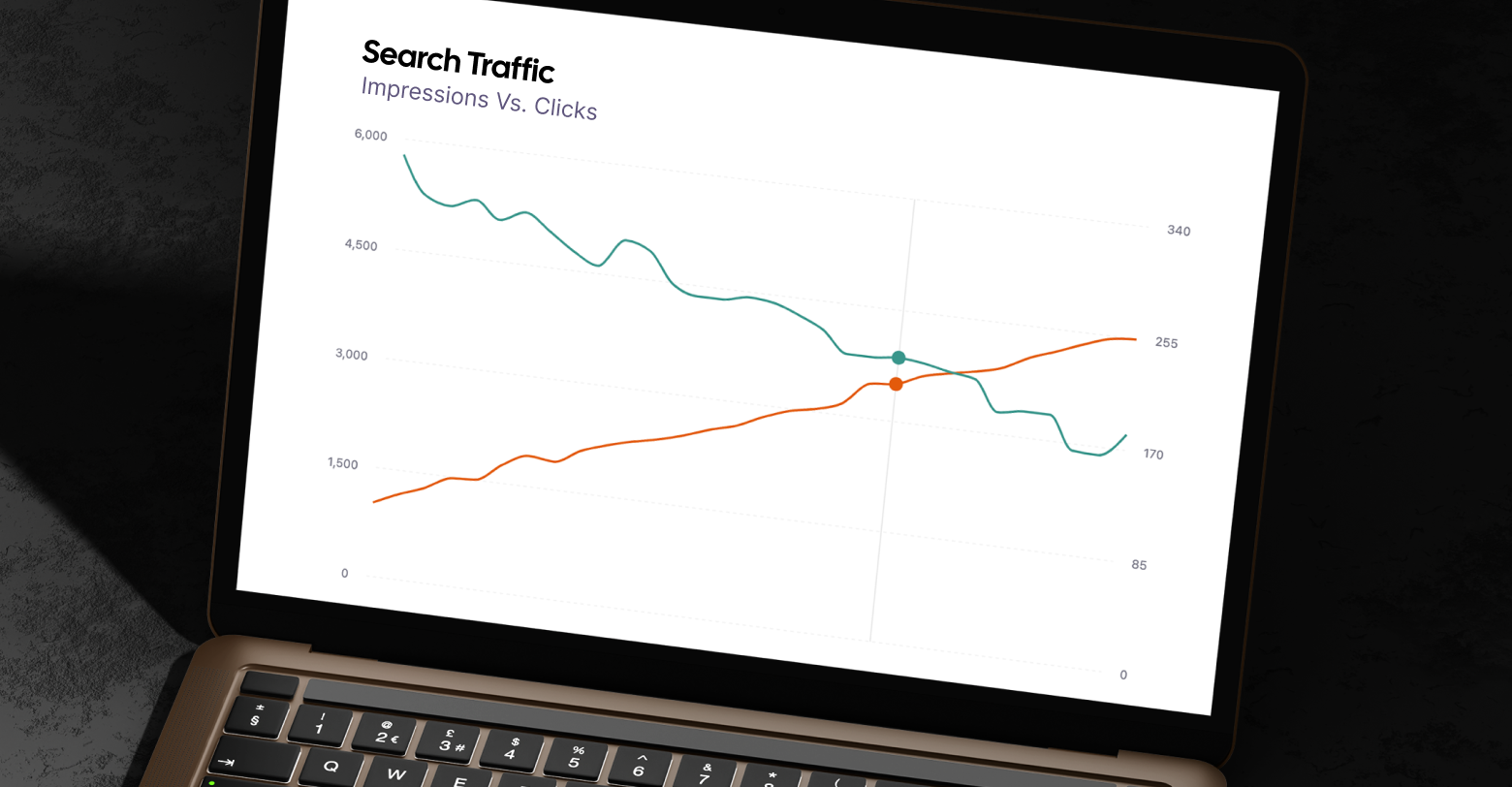
Engagement metrics provide another layer of insight. Even if AI search reduces overall organic clicks, those who do visit may be more qualified. Track dwell time, scroll depth, and conversion actions rather than raw traffic volume. Periodically refreshing older content, updating examples, refining structure, or clarifying data, can also help maintain AI relevance.
Agencies should treat this as an iterative process, much like conversion rate optimization: experiment, test, and refine. The goal is not perfection in a single update, but consistent improvement informed by observation.
A roadmap for agencies
For agencies managing multiple clients, these optimization principles can be scaled efficiently through process design. Begin by identifying the high-impact content that already performs well in search or serves as a key lead driver. Run an AI accessibility audit on those pages to detect any crawling or rendering barriers. Once resolved, layer on structural improvements such as concise summaries, schema markup, and internal linking that clarifies topic clusters.
Next, enrich each page with verifiable data and clear attribution, integrating updated research or statistics where possible. Follow this by testing prompt variations across AI platforms to see whether your clients’ content is cited. Document the successful phrasing, then replicate the format on similar pages. Over time, these insights form the basis of an internal playbook—a repeatable framework for AI visibility.
Finally, build regular performance reviews into client reporting. Even simple monthly tests across major AI search systems can provide valuable trend data. Sharing these insights with clients helps position your agency as a forward-looking partner prepared for the realities of generative search.
From ranking to referencing
AI search is already changing how people discover and trust information.
According to Xponent21, Google’s AI Overviews now appear in more than half of all search results, a number that continues to grow. Google is also continuing to invest in an AI-only version of its search engine interface,
AI Mode, emphasizing summary responses over links. The shift toward
zero-click, conversation-led discovery is well underway.
For digital marketing agencies, this means the line between SEO, content strategy, and data credibility has blurred. Traditional optimization for rank alone is no longer enough. The new objective is to make your clients’ content accessible, understandable, and authoritative enough to be used, not just found, by AI systems.
By focusing on five key areas—technical accessibility, structured content, verified credibility, conversational alignment, and adaptive iteration—agencies can help clients remain visible and trusted in this changing environment. Generative engine optimization is not a replacement for SEO; rather, it’s its next evolution. The agencies that master it first will define what digital visibility means in the AI era.
 Top Tip


